Produce a segment
A break is one presenter saying a few sentences. A production is longer: a short programme in several beats, planned, written and spoken over a few minutes, then aired as one piece. By the end of this page you will have asked for one, kept a show of your own on the Podcasts tab, put a caller and a guest on air from the Desk, and asked the station for the news between two records.
Phone-ins explains how calls and visits are cast and shaped.
You need a station with a model (Give the station a model) and a speech plugin. A call needs at least one caller and a visit at least one guest. Five callers ship with the station; guests you write yourself (Write a character).
Ask for a production
-
Open Voice → Productions and press Ask for one.
-
Fill in the form:
Field Example Called The machine nobody wantedWhat it should be about The history of the TR-808: why it flopped, who rescued it, and what it did to pop music.Kind Leave it at podcast.Minutes 6, or empty for the station's default. This decides how many beats it has.How much to write it Outlined (plan it, then write it) is a good start. Polished adds a pass that checks and fixes each beat, and takes longer. Quick writes one draft per beat. Presenter Empty means whoever is on air when it is written. What it should be about is the field that matters. The planning pass works from it, so write it the way you would brief a producer: the angle, the story, what to leave out. The title matters much less.
-
Optionally, give it something to go on. Without anything, it talks from general knowledge and keeps the specifics vague.
Field What it does Notes One fact per line, such as The TR-808 came out in 1980.It states nothing as fact that the notes do not give.Sources Add a source, then an Address for a web page, or the text pasted in. The station reads them first and states only what it can find in them. Research it on your trusted sites With nothing to read, it searches the sites you trust in the web search plugin for its subject instead. Air at A time to hold it for. Empty airs it as soon as it is made. -
Press Ask for it.
Nothing is made while you wait. The production appears in the list and moves through queued, planning it, writing it, checking it, speaking it and joining it up to ready. When every beat has been spoken it goes into the running order and shows in the running order.
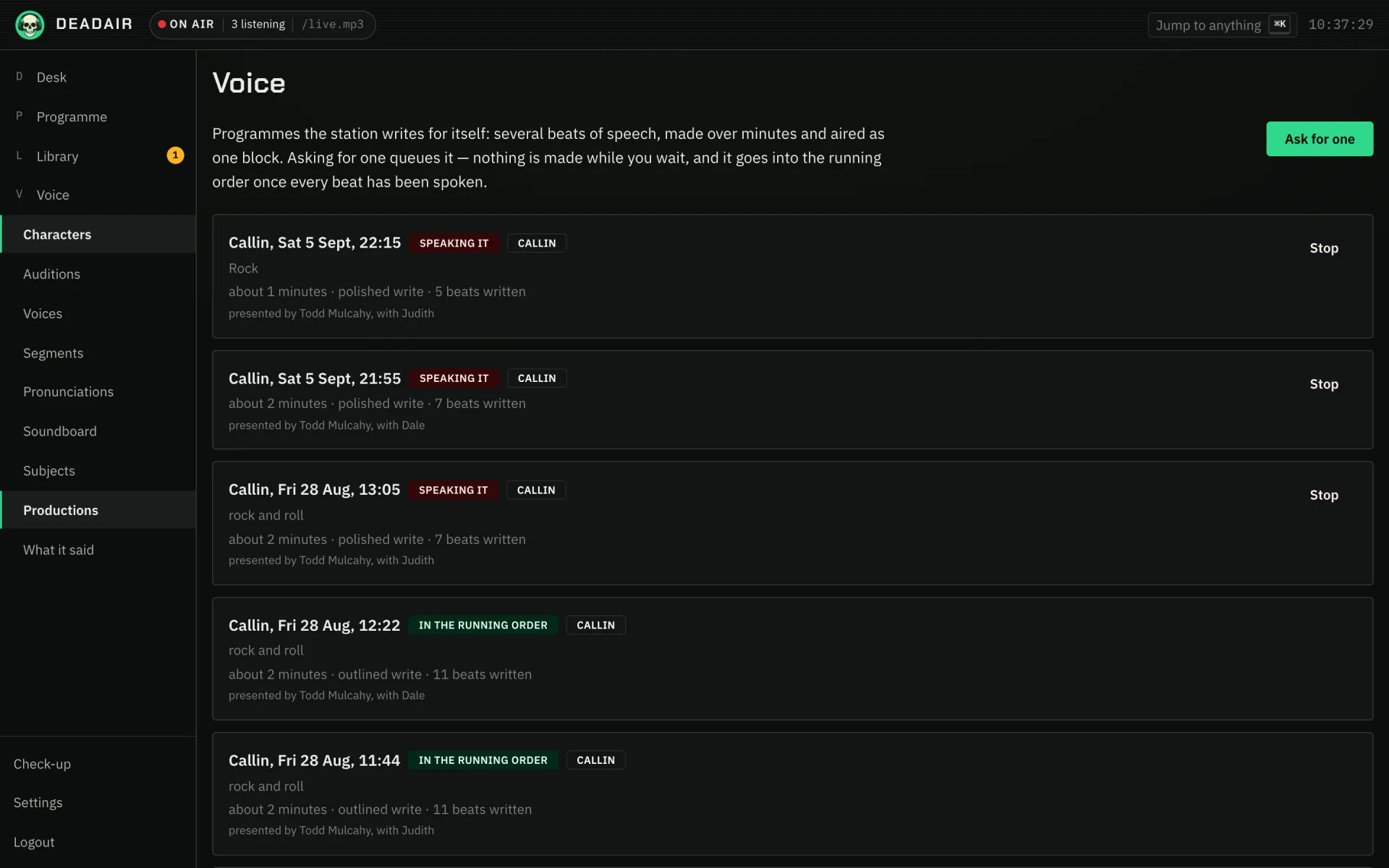 Fig. 1. Voice → Productions.
To make them regularly, add a band to the format clock instead (Programme → Today → Add band)
with podcast as the Sort of break. One is commissioned ahead of every time the band comes round.
See Make a show.
Make a show of your own
A production you want again and again, such as something to fall asleep to, can be kept as a show, so each episode is one button.
- Open Library → Podcasts. Your shows is at the top.
- Press New show, and under Start from pick Wind-down. It fills in a name and What it is about; change either.
- Pick a Presenter, and Minutes if you want a length other than the station's default.
- Press Make the show.
- Press Make an episode on the show. Leave What this one is about empty for the show's own subject, or give this one a topic. Paste an article under Something to read first, or give A page to read first, and the episode states as fact only what it finds there.
- Set Air at to tonight at eleven, and press Make it.
You should see the episode under the show, moving through the same states as any production. Once it is ready it waits for the first gap at or after eleven. The News in depth template is the same thing with News it reads filled in: each episode reads the newest stories on the feeds you pick. See shows the station makes.
Take a call
- On the Desk, press Take a call.
- Under What they are ringing about, write a subject, such as
a record everybody else got wrong, or leave it empty to have the call be about the show that is on. - Press Take a call in the dialog.
The caller is whichever of the host's callers has been heard from least recently. The call is written and spoken a turn at a time, appears on Voice → Productions while it is being made, and drops into the running order a few minutes later, as one item.
To have calls without pressing anything, turn on Take calls under Settings → Breaks, or put a
callin band on the format clock.
Bring in a guest
- On the Desk, press Bring in a guest.
- Under What they are in to talk about, write a subject, such as
the record they made in a barn, or leave it empty. - Press Bring in a guest in the dialog.
The host welcomes them, they talk, and the host thanks them at the end. A station with no guests cannot make one, and Productions says so. Write a guest first with New caller or guest… → New guest on Voice → Characters.
Ask for the news now
The format clock decides when the station talks, but the operator can ask it for the news, the weather or a word from the host now, from a listener app signed in as the operator.
- Open Say something: in the Up next menu on Android, under Manage on the iPhone, or beside Take a call on the desktop app's desk.
- Pick The news.
You should see an answer straight away. Accepted, the bulletin is written and spoken, and goes in after the record on air. Declined, the app says why: breaks are off, there is no voice, nothing writes that kind, or it was asked for a moment ago. See asking for a break now.
With Claude
Productions are a good fit for asking Claude, because the hard part is the brief. With Claude connected and allowed to Read and manage (how):
Ask the station for a six-minute polished production about the night the lights went out at the 1977 New York blackout and what the city's radio stations played. Write a proper brief for it first and show it to me.
Claude writes the brief, asks the station for the production, and can tell you how far along it is. "Ask the station for the weather after this record" works the same way.
If it goes wrong
- It says failed. Open it on Voice → Productions for the reason. The usual one is no model answering, or a call or visit with nobody to cast.
- It is ready but has not aired. It goes in at the next place the running order can take it, which is after the record playing now.
- The caller sounds like the host. Give the caller a voice no host uses, on their character sheet.
Next
- Phone-ins for banter between co-hosts and how calls are cast.
- Write a character for callers and guests of your own.