Your first hour on air
Both install tutorials end on an empty Desk. This page goes from there to a station playing your music, with a presenter talking between the records. It is the same whichever way you installed.
You need: a station you are signed in to as the administrator, and somewhere the music comes from. This page walks through a Spotify Premium account or a media server of your own (Navidrome or another Subsonic server, Jellyfin, Emby, or Plex). Spotify has to be Premium because the station fetches the audio itself. YouTube Music, Pandora and Apple Music are set up as the library describes.
1. Give it music
Open Settings → Plugins.
On Navidrome or another Subsonic server:
- Open the Navidrome plugin and switch it on.
- Enter the server's address and an account on it, and save.
On Jellyfin:
- In Jellyfin's dashboard, open API Keys and make a new key for deadair.
- Open the Jellyfin plugin in deadair and switch it on.
- Enter the server's address, the API key, and the name of the Jellyfin user to read the library as, and save. The user decides which libraries and playlists the station can see.
On Emby:
- In Emby's server settings, open Advanced → API Keys and make a new key for deadair.
- Open the Emby plugin in deadair and switch it on.
- Enter the server's address, the API key, and the name of the Emby user to read the library as, and save. Every playlist that user can see comes across; Emby cannot tell the station which are audio, so a video playlist simply brings no records.
On Plex:
- Find your Plex token. The quickest way: in Plex Web, open your browser's developer console and run
localStorage.myPlexAccessToken. Get Info → View XML on an album also shows it, afterX-Plex-Token=in the address of the page that opens. - Open the Plex plugin in deadair and switch it on.
- Enter the address of the Plex server itself, port included (
http://your-server:32400), not app.plex.tv, and the token, and save.
Jellyfin, Emby, Plex and Navidrome each add a playlist called Everything after your own: the whole library, so a library with no playlists is still a complete setup.
On Spotify:
- Open the Spotify plugin, switch it on, and complete the connection. This lets the plugin read your library.
- On the Playback authorization card below the connection, authorize playback too. This is a second, separate authorization, and it is what lets the station fetch the audio. With only the first, your playlists list perfectly and every record is dropped.
- The page Spotify sends your browser back to will not load. That is expected: it is an address on the station that your browser cannot reach. Copy the whole address out of the address bar, paste it into The address you were sent to on the card.
Then let the library sync. You should see your records under Library before going on. Nothing can be programmed until there are records.
2. Name the station and say where it is
Open Settings → Station:
- Station name: what the presenter calls the station.
- Where the station is: a town or city, as you would say it on air. The weather comes from here.
- Station timezone: an IANA name such as
America/New_York. This is the clock the presenter reads, and it decides when "this morning" becomes "tonight".
Save. Then open Settings → Stream, check Public URL is the address listeners will use (empty means the console's own address), and save. Saving the stream settings is what takes the audio chain off its built-in defaults.
3. Pick a presenter
Open Voice → Characters. Several characters come with the station. Choose one and press Make station host on its card.
A station with no model configured still talks, out of its own phrasings. Give the station a model later to have the presenter write its own words.
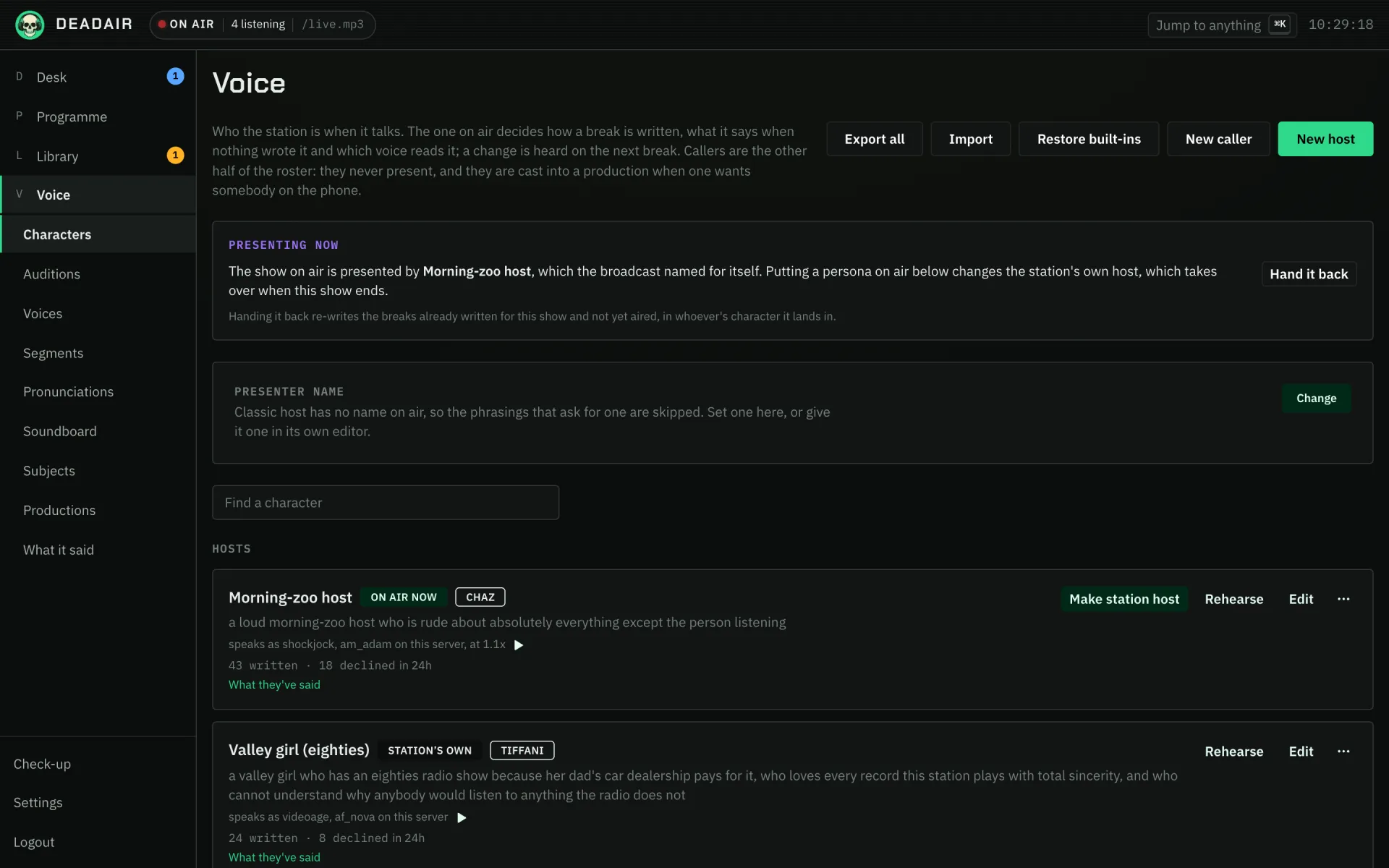 Fig. 1. Voice → Characters, where the host is chosen.
4. Put something on
- On the Desk, press Plan.
- Choose Start a new show. Write a line for the station to programme against, such as
warm soul and funk for a Sunday morning, or leave it empty for the station's own rotation. - Press Go on air.
The running order fills over the next minute.
5. Listen
Open the stream in any player, or in a browser tab:
http://192.168.1.10:8080/live.mp3
Use your own station's address. The listener apps find it too.
If it is silent, that is probably on purpose. By default the station airs only while somebody is listening, so a full running order with nobody connected is quiet and the Desk says so. Opening the stream starts it.
You should now hear a record, and between records, the presenter.
If it goes wrong
- Records are listed but every one is skipped. On Spotify, the playback authorization in step 1 is missing.
- It stays quiet with the stream open. Open Check-up: it says in one sentence why the station is not on air.
- The presenter says "tonight" in the afternoon. Station timezone is empty or wrong.
Help covers the usual causes of a quiet station.
Next
- Give the station a model, so the presenter writes what it says.
- The programme to plan the week rather than one show at a time.