Give the station a model
Every AI tutorial here starts from this page. By the end of it the station has a language model to write with, and you have chosen which jobs it does. The last section connects Claude to the station, which is a separate thing: Claude working the console for you, rather than the station's own writer.
A station with no model is not broken. It writes its breaks from its own phrasings and chooses records by rule. A model makes the presenter better and never stands between the station and silence. Models and voices says why.
You need one of these:
- A hosted provider and an API key: Anthropic, Google Gemini, or anything OpenAI-compatible, such as OpenAI, Groq, Mistral or OpenRouter. Every call is billed by the provider.
- A local server that speaks the OpenAI API, such as Ollama or vLLM, reachable from the station.
1. Add a provider to the Language model plugin
- Open Settings → Plugins and open Language model. Switch it on if it is off.
- In Providers, add a row:
- Name: a short name you choose, such as
claudeorollama. It becomes part of every model name, so keep it short. - Kind: Anthropic, Google Gemini, or OpenAI-compatible.
- Address: only for OpenAI-compatible, and it ends in
/v1. For Ollama, use the address of the machine it runs on and port 11434, such ashttp://192.168.1.20:11434/v1.localhostmeans the station's own container, not the machine Docker runs on; on Docker Desktop that machine ishost.docker.internal. - API key: for a hosted provider. It is encrypted and never shown again.
- Name: a short name you choose, such as
- Save. Then pick a Default model: the list now offers what your provider has. Models are named
provider:model, such asclaude:claude-sonnet-5orollama:gpt-oss. - For an OpenAI-compatible provider, tick the models that can use tools under Tool-capable models. Such servers do not report it themselves.
- Save again.
2. Tell the station to ask it
Open Settings → Providers and check that Writing names the Language model plugin. With only one plugin that can write, it already does.
3. Turn on the jobs
Open Settings → Words. Each job has a switch and a list of models, tried in order: if the first fails before it answers, the next one is asked. Add models from the picker under each list. An empty list means the plugin's default.
| Switch | What it does | Turn it on for |
|---|---|---|
| Let a model write the talk breaks | The presenter's words between records. | Every station with a model. |
| Let a model choose what plays | Reads a show's brief and picks records against it. | Make a show. Without it a brief is ignored. |
| Let a model find trivia in the articles | Facts about records, each checked against its source. | Breaks with something to say about a record. |
| Models for writing a character | Used by Write me one on a character. No switch: pressing the button is the switch. | Write a character. A slower, more careful model is fine here. |
The other switches (moods, what records are about, reading a character back, thinking up stories) run at night in the background. Leave them off until the station is settled.
Save.
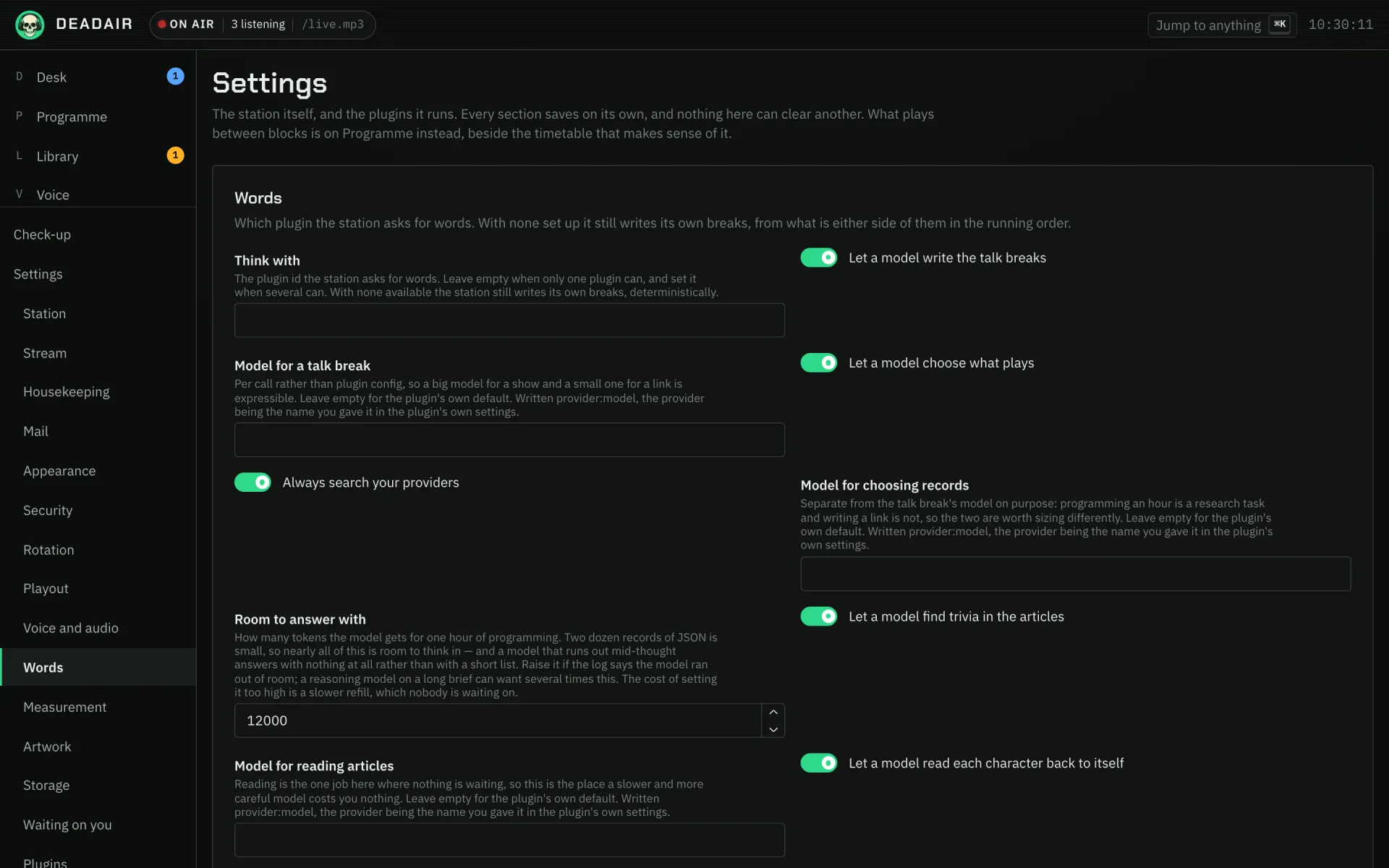 Fig. 1. Settings → Words.
You should now see the next talk breaks written by the model. Voice → What it said lists every break and who wrote it.
Connect Claude, if you want it too
This is optional, and it is not what writes the breaks. It lets Claude reach the station as you, so you can ask Claude to build a show or draft a character instead of clicking through the console. Connecting Claude is the full page; the short version:
- The station has to be reachable from the internet at its public address (
APP_BASE_URL), because Claude connects from Anthropic's servers. Claude Code on your own network is the exception. - In the console, Settings → Sign-in and security: turn on Let apps connect as you, and leave Apps may register themselves on.
- In Claude, add a custom connector with the address
https://your-station/api/mcp. Leave the client id and secret empty. - Claude sends you to the console to approve it. Choose Read and manage if you want it to create things, then Allow.
If it goes wrong
- Every break is still the station's own. Let a model write the talk breaks is off, or the model is too slow and the phrasings are covering for it. Voice → What it said shows each break, including the ones the model declined.
- The model list is empty. The provider row was not saved, or the station cannot reach the
address. A local server on the Docker host is not
localhostfrom inside the container. - A model name is refused. It has to be
provider:model, with the provider being the Name you gave the row.