Carry a podcast
By the end of this page the station subscribes to a podcast, a band on the format clock gives the show a time, and when that time comes the station plays the show's newest episode, whole, after your presenter introduces it. The station fetches the audio itself a few hours ahead, so you can see the episode arrive before it airs.
Podcasts explains what the station carries, what it will not, and why.
You need a station on air with a voice, and a podcast whose feed is public: the address a podcast app would subscribe to, which the station can fetch with nothing but the address.
1. Switch on the Podcasts plugin
Open Settings → Plugins and open Podcasts. Switch it on if it is off.
The plugin holds the list of shows the station subscribes to. You can type a feed in here, or find one from the Library in the next step.
To type it in, add a row to Shows: put the feed's address in Feed address, and leave Name empty unless you want to call the show something other than what it calls itself. Press Save configuration.
Search Apple Podcasts for shows is on unless you turn it off. It lets the Library look a show up
by name, and what you type is sent to Apple. Turn it off and the station reads only the feeds you
list here. Directory country chooses which country's directory is searched, as two letters
(gb, de, au); empty is the United States.
2. Subscribe to a show
Open Library → Podcasts. Under Find a show, type the show's name, its publisher or its subject, and press Search. Press Subscribe beside the show you want.
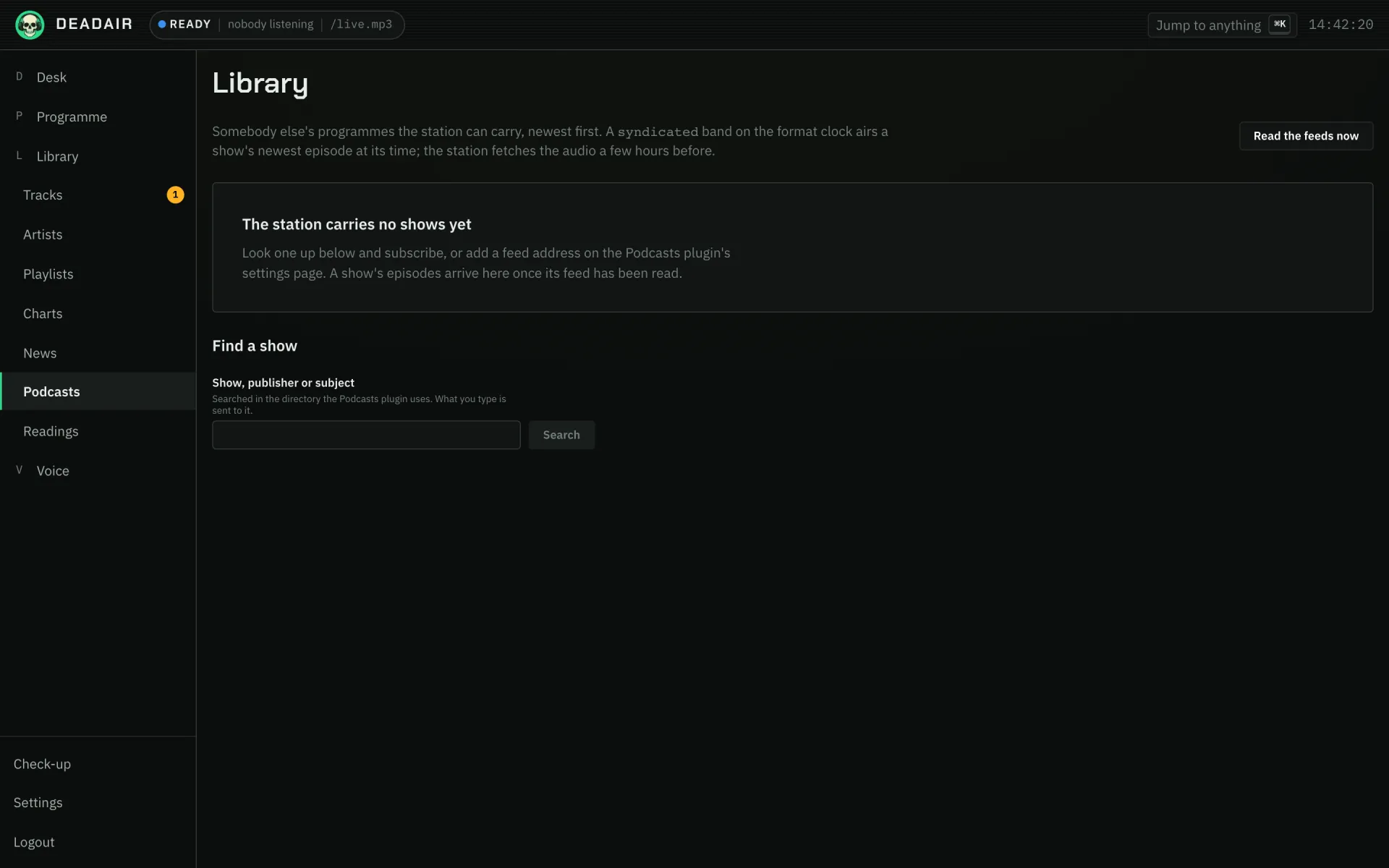 Fig. 1. Library → Podcasts on a station that carries no shows yet.
The result now says Subscribed, and the show is added to the plugin's Shows list.
The station reads every feed every half hour. Press Read the feeds now to do it straight away. A minute or two later the show's episodes appear on the page, newest first, each marked Not fetched.
3. Name the show for the clock
Open Voice → Subjects and find the shows card. Press New show.
- Name is what your presenter calls the show on air, so write it the way you would say it.
- Show is the subscription it means. Pick it from the list.
Press Save.
This step is what lets a band on the clock say which show it is for. A band about no show carries the newest episode of any show you subscribe to, which is fine with one subscription and surprising with two, so name the show even if you have only one.
4. Give it a time
Open Programme → Today and find Format clock. Press Add band.
- In New band, after Say a, write
syndicatedas the Sort of break. - Under How often, choose once a day at and set Time of day, for example
21:00. A weekly show is better at a time it has usually published by. - Under About, pick the show you named in step 3. The list only appears once the sort of break
is
syndicatedand you have named a show. - Save.
The word is syndicated, not podcast: on the format clock, podcast means a programme the
station writes and speaks itself.
Like every band, this one waits for the record playing at its time to finish, so nothing is cut off.
5. Watch it arrive
Three hours before the band's time, the station fetches the episode's audio. On Library → Podcasts the episode then says Wanted for and the time it will air, and goes from Fetching to Ready to air.
To check a show before its time comes round, press Fetch now on an episode. It is ready to air once the audio arrives.
At the band's time the presenter introduces the show, the episode plays from start to end, and listeners' players show the episode's title and the show's name. Afterwards it says Aired and the time it went out. A bulletin at the top of the next hour waits until the programme ends.
If it goes wrong
- The time came and the station played records instead. The show had published nothing the station has not already aired. A band carries the newest episode only, and never reaches back for an older one or puts a different show in its place, so on a night with nothing new the band is passed over. The top episode on Library → Podcasts will say Aired.
- An episode says Could not fetch. The reason is under it. The station tries three times on its own, then waits for you to press Try again. It will not carry a video, a feed whose audio needs a login, an episode over 256 MB, raw AAC, or audio hosted on your own network.
- The band says "nothing can produce this". The Podcasts plugin is off, so nothing on the station can list an episode. Switch it on under Settings → Plugins.
- No About list appears on the band. The sort of break is not exactly
syndicated, or no show has been named under Voice → Subjects yet. - Find a show is not there, or finds nothing. Search Apple Podcasts for shows is off, or the directory has no show by that name in the Directory country you chose. A show's exact name usually finds it. You can still paste the feed address into Shows yourself.
- Nothing appears after subscribing. The feed has not been read yet. Press Read the feeds now. If the episodes still do not come, check the address is the feed and not the show's web page.
Next
- Podcasts for how an episode sounds on air and what the station will not carry.
- News and weather to give the rest of the hour bulletins.
- Make a show to build the evening around the programme.